
Voice conversation (STT → LLM → TTS pipeline)
The anatomy of a voice conversation
Voice conversation with AI is a chain of 3 APIs:
`
[You speak] → Microphone → STT (Whisper) → text
↓
LLM (Claude/GPT)
↓
[You hear] ← Speaker ← TTS (pf_dora) ← text`
Each step adds latency. For the experience to feel natural (like a human conversation), the total needs to stay under 1.5 seconds. In 2026, this is achievable — but it requires careful engineering.
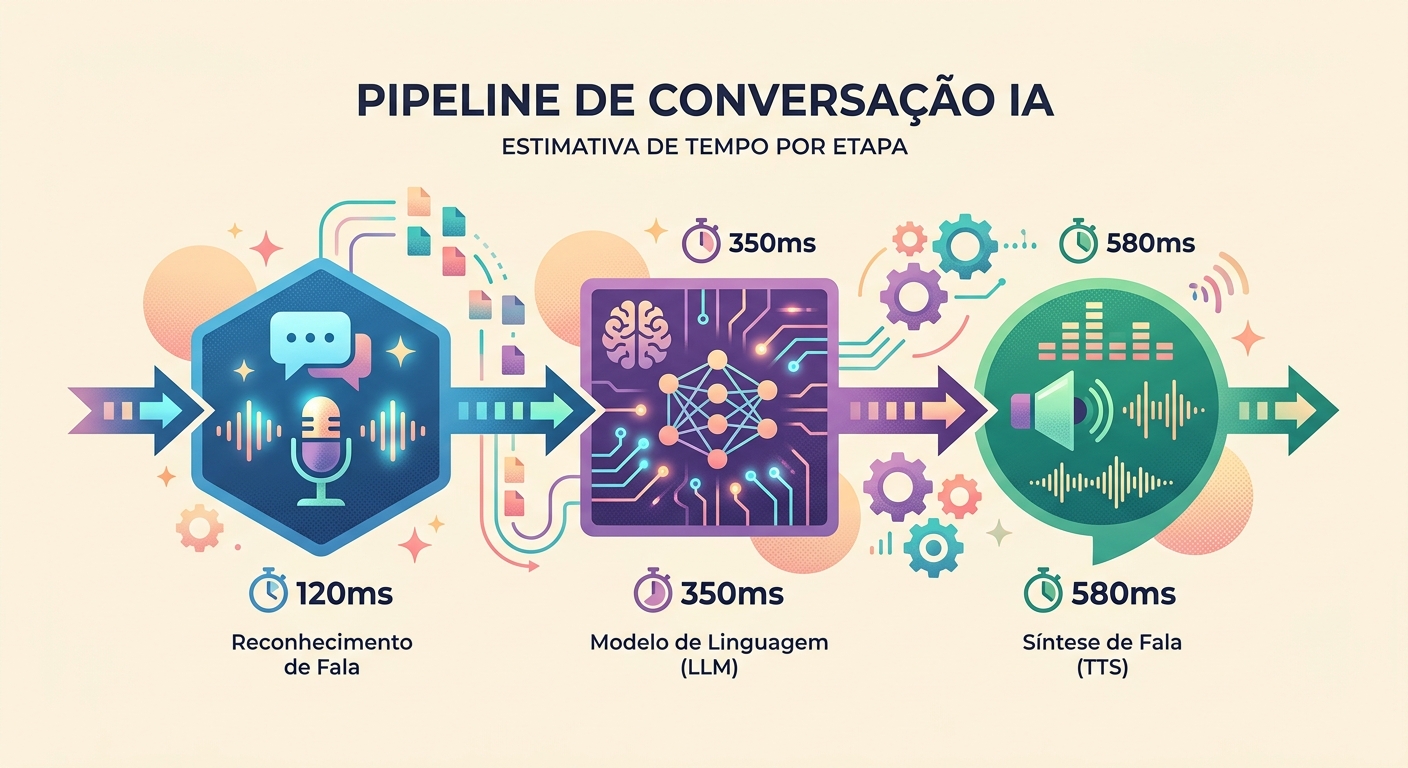
Realistic latency in 2026
Measured during real conversations on Brainiall:
- Audio capture (mic → WAV): ~100ms (hardware-dependent)
- STT (Whisper Large v3): 300–600ms for a 3–5s phrase
- LLM (Claude Haiku for speed): 400–900ms to first token
- TTS (pf_dora via unified-api): 300–500ms for 3–5s of audio
- Playback (speaker latency): ~50ms
Total first-token-to-speech: 1150–2150ms. Acceptable if the model starts "speaking" early (streaming).
Streaming is everything
Without streaming, each step waits for the previous one to finish: 600ms + 900ms + 500ms = 2000ms minimum.
With streaming:
- STT can start transcribing while you're still speaking (VAD — Voice Activity Detection)
- LLM starts generating tokens before STT finishes (with some intent prediction)
- TTS starts narrating the first words while the LLM is still generating the last ones
Effective latency drops to 400–700ms. It feels natural.
VAD: knowing when to stop listening
The subtlest challenge: detecting when you've stopped speaking. Stop too early and it cuts off your sentence. Stop too late and it adds 500ms of latency.
Techniques:
- Absolute silence for 600ms: simple, but doesn't handle natural thinking pauses
- Silero VAD: a neural model that detects end-of-speech with ~95% accuracy in <50ms
- Confidence from STT: Whisper returns a confidence score; if it drops, you've likely finished speaking
- Interruption detection: user starts speaking again → cancels the ongoing TTS and restarts the cycle
Brainiall uses Silero VAD combined with a dynamic silence threshold (adjusts based on ambient noise).
Choosing a model: latency vs. quality
In voice mode, it's usually worth trading a bit of LLM quality for speed:
- Claude Haiku 4.5: ~400ms to first token, concise responses, $2/1M tokens
- GPT-5 mini: ~350ms, more creative than Haiku, $3/1M tokens
- Gemini 3 Flash: ~250ms, excellent for short responses, $2/1M tokens
For conversations where quality matters more than latency (e.g., a detailed language tutor), step up to Claude Sonnet 4.6 or full GPT-5.
Use cases where voice mode truly shines
- Language conversation practice: practice speaking English with an AI that responds naturally
- Hands-free assistant: while driving, cooking, or working out
- Accessibility: for people who have difficulty typing
- Brainstorming on the go: capture ideas by speaking instead of writing
- Tutoring: quick question-and-answer flow that feels more natural and engaging
- Business — phone support: replace clunky IVR systems with natural, flowing conversation
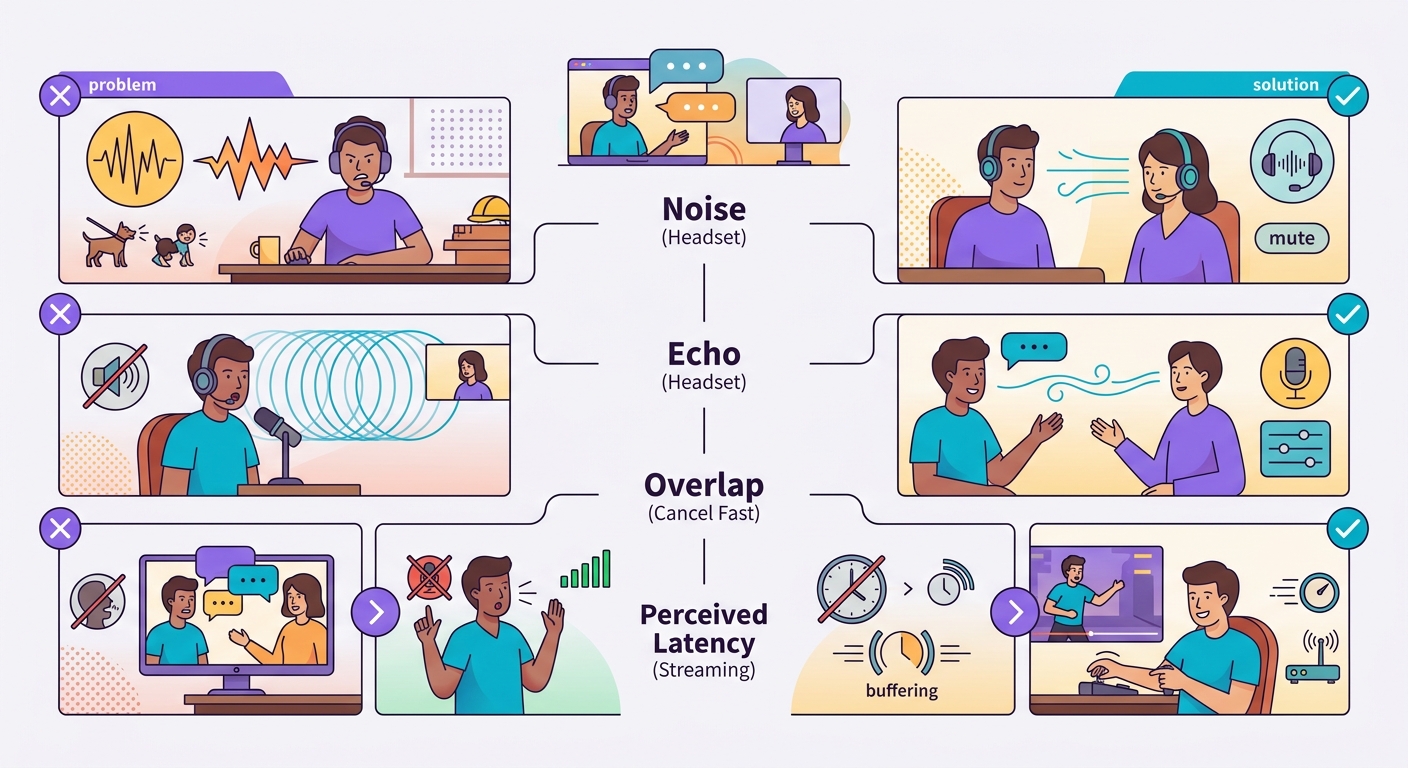
Common pitfalls
- Background noise: ambient sound causes VAD to misfire; use a headset or directional mic
- TTS echo: if you're using laptop speakers, the mic can pick up the TTS output and transcribe it back; use a headset
- Speech overlap: user interrupts, system is slow to react = frustration; implement fast cancellation
- Perceived vs. real latency: 1s latency feels fine in text but feels sluggish in voice; optimize for <500ms whenever possible
Basic browser implementation
For quick experimentation:
`javascript
// 1. Capture
const stream = await navigator.mediaDevices.getUserMedia({audio: true});
const mediaRecorder = new MediaRecorder(stream);
// 2. Send chunks every 500ms
mediaRecorder.ondataavailable = async (e) => {
const formData = new FormData();
formData.append('file', e.data);
const r = await fetch('/api/transcribe', {method:'POST', body: formData});
const {text} = await r.json();
// 3. Send to LLM, receive response
// 4. Send response to /api/tts, play the result
};
mediaRecorder.start(500);`
Brainiall already offers this out of the box in the chat: just click the microphone icon and press-and-hold.
Try it right now
In the Brainiall chat, click the microphone icon and press-and-hold. Speak, release, and receive a response in both text and audio. The Pro plan at $29 includes full voice support; Business unlocks premium voices and priority latency.