
AI Background Removal in 30 Seconds
What background removal actually means, technically
Removing the background from an image means deciding, for every single pixel, whether it belongs to the main subject (foreground) or the scene behind it (background). That sounds straightforward to the human eye, but it's surprisingly hard for an algorithm. Classic techniques like chroma key require a uniform green backdrop — they work great in a studio, but fail on any everyday photo.
Modern AI solves this with semantic segmentation. The model learns from millions of annotated images to recognize object edges of any kind — people, dogs, coffee cups, cars — regardless of background color or texture. It's the same principle Photoshop uses today in Select Subject, but running at a fraction of the computational cost.
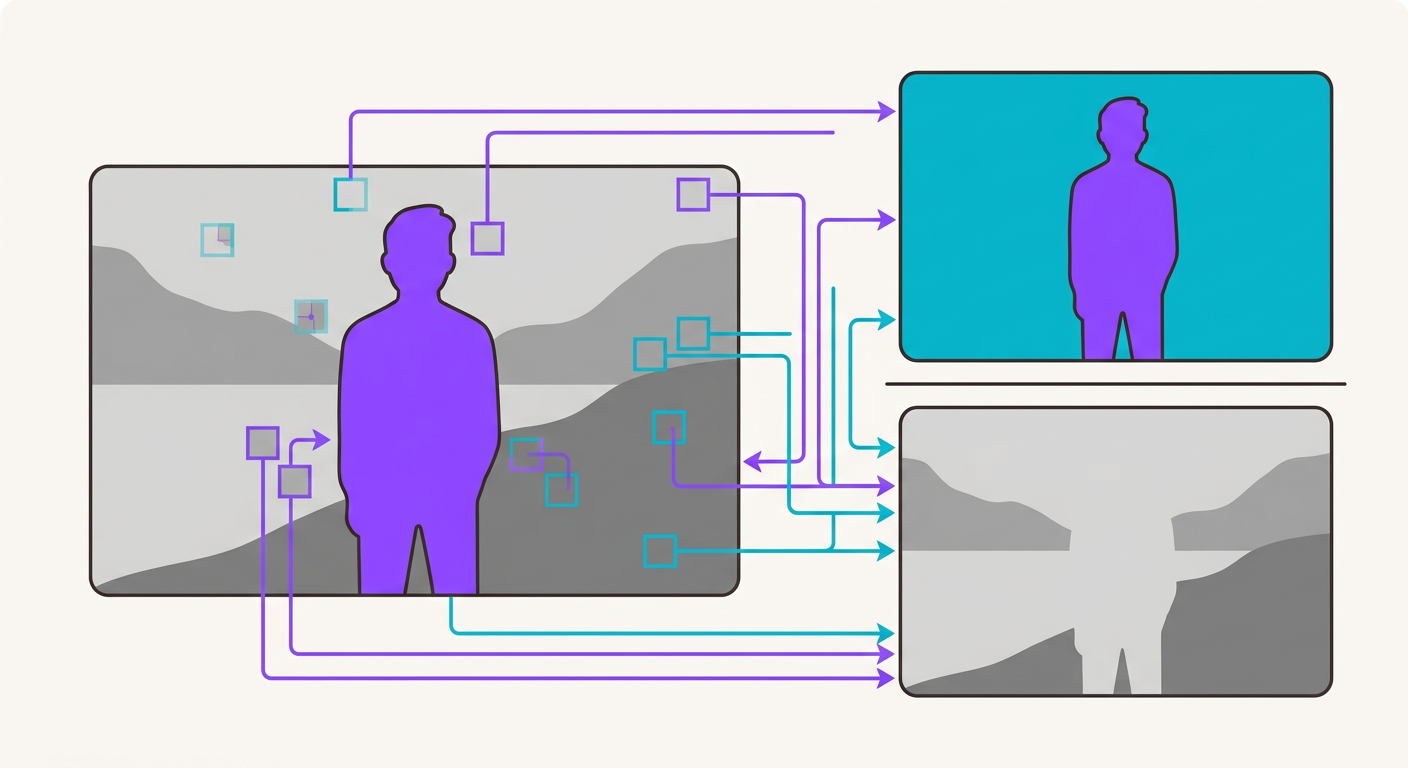
How BiRefNet works behind the scenes
BiRefNet (Bilateral Reference Network) is the state of the art in dichotomous segmentation. It uses a bilateral architecture: one path looks at the image in high resolution (to capture fine edges like individual strands of hair), while another looks at a downscaled version (to understand the broader context). Both paths are combined at the output.
At Brainiall we run this model with GPU-optimized inference, allowing us to process an image in around 300ms. That's 39x cheaper than Remove.bg (which charges $0.20 per image); the cost on Brainiall is $0.005 per API call, or completely free within your plan's included limits.
When AI still gets it wrong (and how to work around it)
Even the best segmentation model has its tough cases. The most common ones:
- Very fine hair against low-contrast backgrounds — the AI may clip a few strands
- Semi-transparent objects like glass, veils, or wet hair — the mask can come out rough
- Shadows the user wants to keep as part of the subject — the AI treats them as background
- Reflections on metal or mirrors — the reflection gets classified as part of the background
To minimize these issues, use images with reasonable contrast between the subject and the background. If you need to preserve the object's natural shadow, process in two layers: first remove the background, then add the shadow back in post-production.

Real-world use cases
- E-commerce: product catalogs require a uniform white or transparent background — this is the #1 use case for Remove.bg (a company now valued in the hundreds of millions)
- Marketing: social banners where you want to isolate a product or person
- Profile photos: avatars with the background removed look more polished in any context
- Compositing: swapping backgrounds to place someone in a completely different scene
Try it right now
Open the Brainiall chat, click "Image" at the top, upload any photo, and type "remove the background from this image". You'll get the result with full transparency (PNG) in under 1 second. The first 3 processings of the month are free; after that, the Pro plan at $5.99 unlocks 100 images per month.