
Restore old family photos with AI
The specific problem of faces in old photos
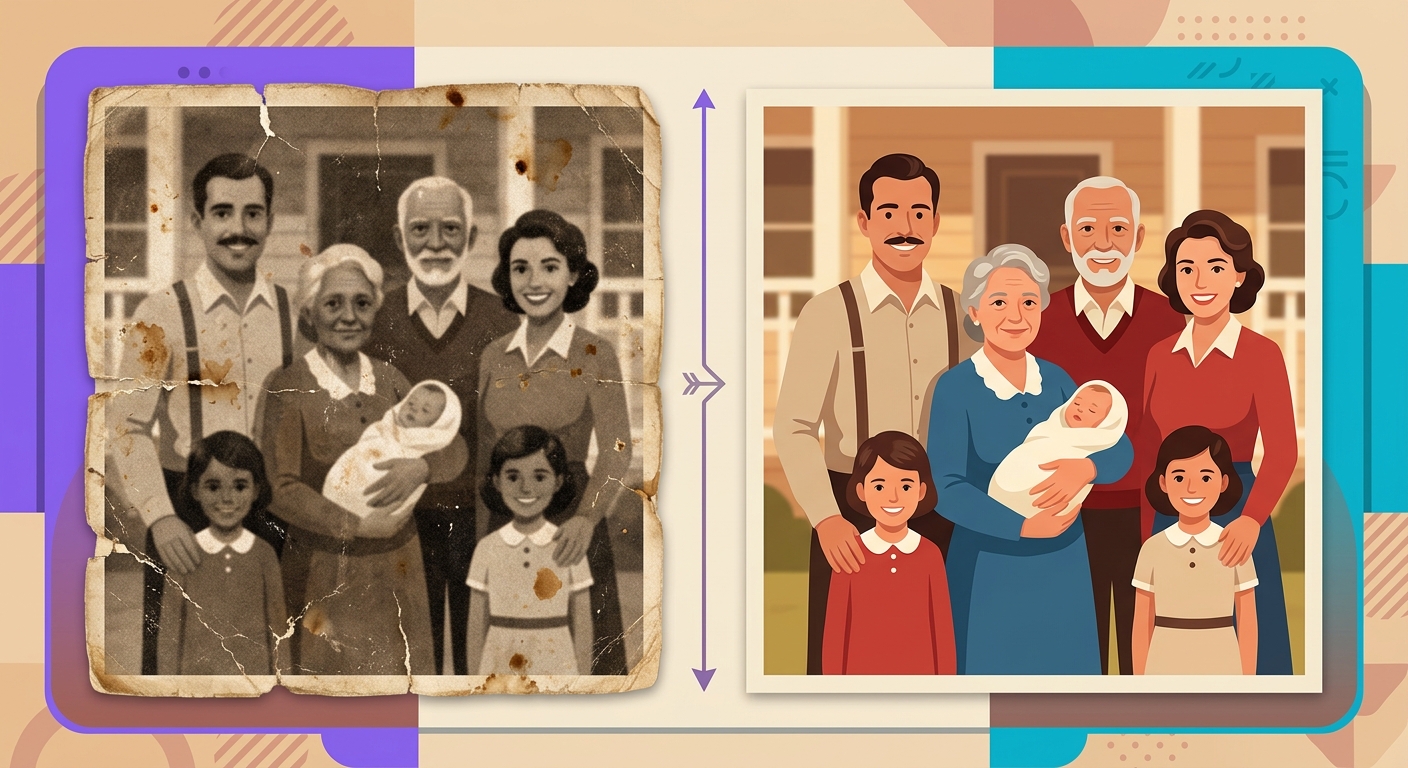
Old photos have damage of various kinds: scratches, yellowing, low resolution, blurring, aggressive compression. Generic upscale algorithms can clean up a lot of things — but they fail on faces. Why? Because faces are the region where our brain is most sensitive to imperfections. A blurry spot on a wall you barely notice. A blurry spot on a cheek ruins the entire photo.
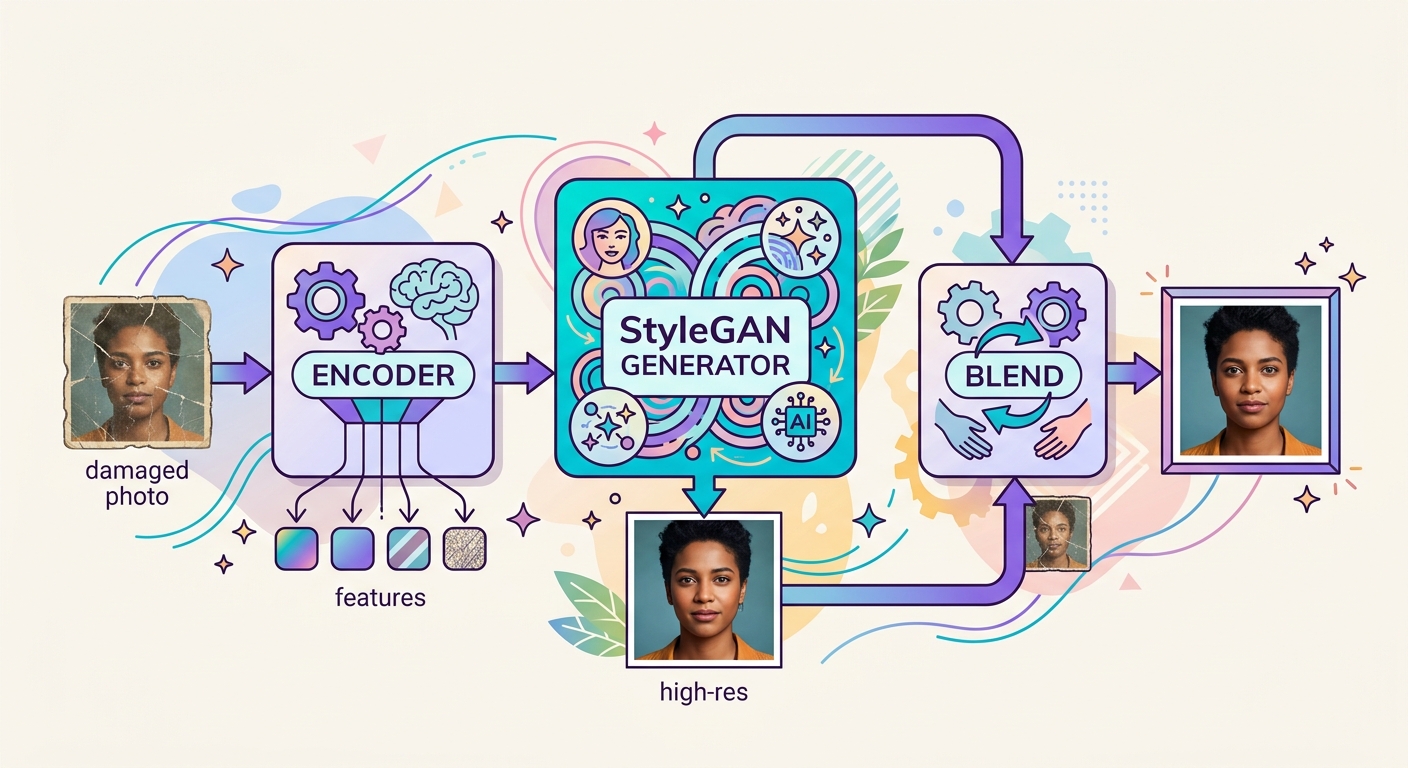
GFPGAN (Generative Facial Prior GAN) was created specifically for this. It combines two networks: an encoder that extracts the facial structure from the damaged image (even if heavily degraded) and a StyleGAN generator trained on millions of real faces, which reconstructs the details.
How the facial prior works
Facial prior" is the statistical information the model has about how human faces "should" look. StyleGAN was trained on the FFHQ dataset (70,000 high-resolution faces), learning the relationship between:
- Head shape → eye position
- Approximate age → skin texture
- Lighting → shadows in specific regions
- Hair color → typical eyelash color
When you pass a degraded photo, GFPGAN first makes a rough estimate ("this is an elderly woman's face, probably white, brown eyes, gray hair"), then uses StyleGAN to fill in the details consistent with that estimate.
The ethical problem: fidelity vs credibility
Here lies the most sensitive point of AI restoration: the restored photo is not exactly the person who was there. The model hallucinates details that seem plausible for a generic face compatible with the observed damage — but it may get wrong the precise shape of the nose, the exact color of the eyes, the teeth.
For family use this is generally OK — the overall appearance is correct, and no one will forensically compare it with an original that was already destroyed. But in contexts where fidelity is critical (legal identification, historical journalism), you should show the restored photo alongside the original, not replace the original.
Best practices for better results
- Scan at high resolution: scan at a minimum of 600 DPI, even if the original photo is small. More pixels for the model to work with = better results.
- Crop the photo for each face: if the photo has 5 people, process 5 individual crops. The model gives centralized attention; faces in corners come out worse.
- Avoid compression in the input: compressed JPEG loses exactly the high frequencies that GFPGAN needs to infer details.
- Combine with separate colorization: GFPGAN preserves the photo's color. If you want to colorize a black-and-white photo, run it through a colorization model first.
- Preserve the original: always keep the raw photo. Restoration is an interpretation, not a definitive recovery.

Limits where GFPGAN fails
- Children's photos: the model was trained mainly on adults; children's faces sometimes come out looking "older"
- Heavy occlusion (mask, dark glasses, hand over face): it may try to reconstruct the entire face, inventing what it never saw
- Extreme expressions (open mouth singing, loud laughter): the facial prior assumes neutral expressions; it may over-smooth them
- Specific cultural accessories (turbans, theatrical makeup): the model may remove or simplify them
Test it right now
Send an old scanned photo in the Brainiall chat and ask "restore the faces in this photo while keeping the color and context". The pipeline combines facial detection + GFPGAN + reintegration automatically. The Pro Plan $5.99 processes up to 100 restorations/month.