
Build your first AI agent with memory
Agent vs chatbot: what's the difference
A chatbot responds to messages independently. Each conversation is isolated. If you shared your name yesterday, it has no idea today.
An agent has 3 extra characteristics:
1. Persistent memory: remembers you across sessions
2. Tools: can call external APIs (search Google, send emails, run code)
3. Planning: can break down complex tasks into steps
In this course we'll focus on (1): persistent memory. Tools and planning are covered in separate courses.

Basic memory architecture
What the agent needs to store about you:
- Declarative facts: "Pedro works with Python", "likes coffee without sugar", "lives in São Paulo"
- Preferences: "reply in formal pt-BR", "brief explanations, no fluff"
- Interaction history: summary of the last N dialogues
- Ephemeral context: what you're doing RIGHT NOW (cleared after the session)
Storage pattern:
`
user_memory = {
"facts": [
{"text": "Pedro works with Python", "pinned": False},
{"text": "prefers short answers", "pinned": True}
],
"summary_last_10_sessions": "User learned about TLS, APIs and authentication...",
"preferences": {"response_language": "pt-BR", "tone": "technical"}
}`
How Brainiall does it
Our backend already implements persistent memory. You can:
1. Click the 🧠 icon in the chat sidebar
2. View the list of facts the AI has learned about you
3. Pin important facts (never forgotten)
4. Edit or delete them
5. Disable memory via toggle
Under the hood we use:
- PostgreSQL JSONB to store facts per user
- Eviction policy: maximum 50 unpinned facts, oldest ones are removed first
- Extraction: every 10 messages, an LLM reads the conversation and suggests new facts for your approval
- Retrieval: before responding, relevant facts are fetched and injected into the prompt
Building your agent via API
Minimal Python example:
`python
import httpx
BASE = "https://api.brainiall.com"
KEY = "brnl-xxxxx"
def chat(message, user_memory):
# Inject memory as system prompt context
memory_text = "\n".join(f"- {f}" for f in user_memory["facts"])
system = f"You are a personal assistant. About the user:\n{memory_text}"
r = httpx.post(
f"{BASE}/v1/chat/completions",
json={
"model": "claude-sonnet-4-6",
"messages": [
{"role": "system", "content": system},
{"role": "user", "content": message}
]
},
headers={"Authorization": f"Bearer {KEY}"}
)
return r.json()["choices"][0]["message"]["content"]
# Usage
memory = {"facts": ["Pedro works with Python", "likes coffee without sugar"]}
print(chat("What did I drink this morning?", memory))
# → "You probably had a coffee without sugar, right?"`
This is a basic agent. Adding automatic extraction (LLM reads and pulls out new facts) and retrieval (only injecting relevant facts) would bring the code to ~100 lines.
Common pitfalls
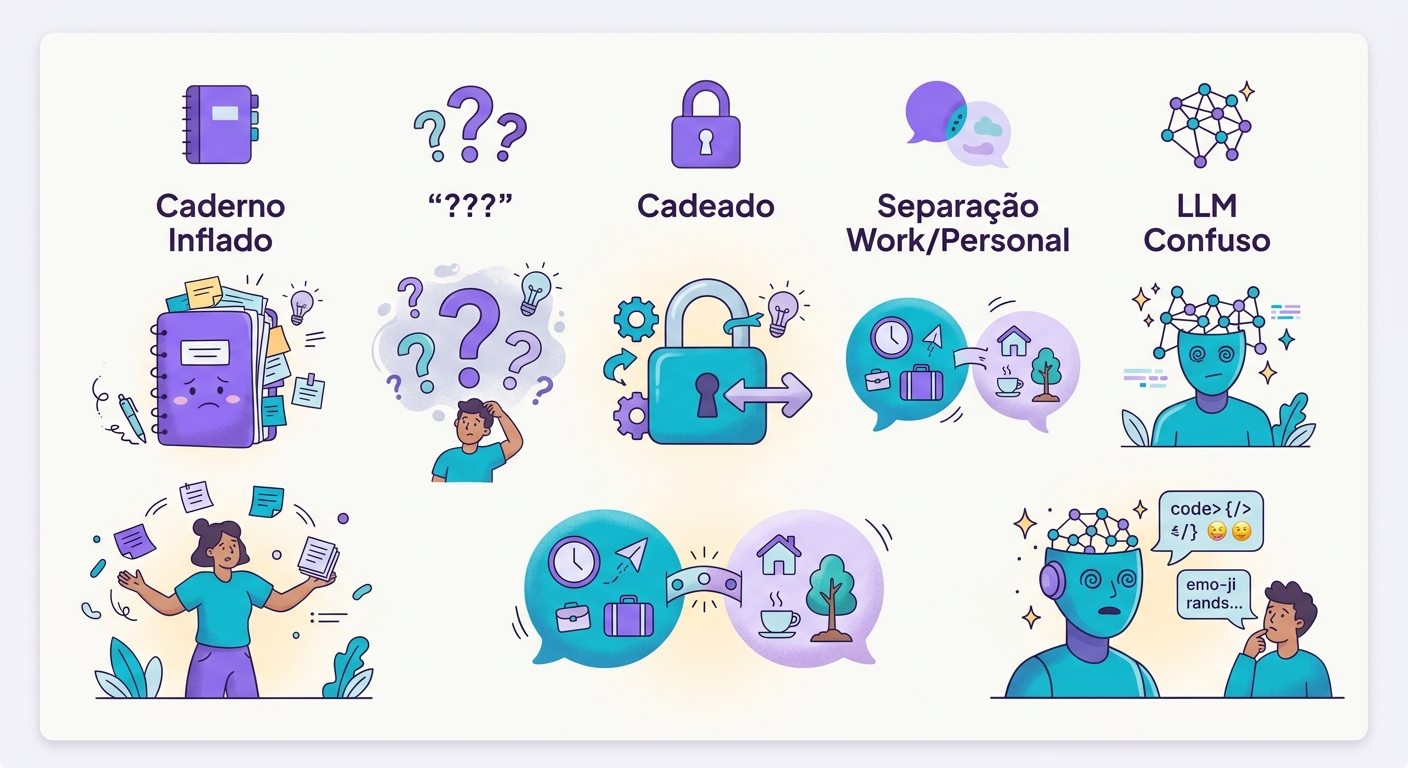
- Inflated memory: without eviction, memory grows until it breaks the token limit
- Contradictory facts: "Pedro likes coffee" + "Pedro stopped drinking coffee" — which one wins?
- Privacy: users must always be able to view, edit, and delete their data
- Wrong scope: work memories should never leak into personal chats
- Drift: an LLM can fabricate false facts if the prompt is ambiguous; always validate before persisting
Use cases
- Personalized tutor: remembers which topics you've mastered or struggle with
- Virtual nutritionist: meal history, preferences, and dietary restrictions
- Career coach: keeps track of your goals, recent wins, and areas for improvement
- Writing assistant: your style, preferred tone, and recurring themes
- Internal tech support: remembers previous tickets and the systems you use
Try it right now
In the Brainiall chat, open a conversation, share something about yourself, close it, then open a new conversation the next day — the agent will remember. Enable or disable memory via the 🧠 icon in the sidebar. The Pro plan at $29 includes full memory; the free plan is limited to 10 facts.