
Extract Text from Images with Vision AI
OCR changed completely between 2024 and 2026
Traditional OCR (Tesseract, around since 1985) works in 2 steps:
1. Detection: locates regions of the image that contain text
2. Recognition: classifies each letter individually
It works well on clean printed documents with common fonts in English. In any other scenario — handwriting, curved signs, text in photos, uncommon languages, complex layouts — accuracy drops to 60–70%.
Modern vision-language models (Claude Sonnet, GPT-5, Gemini 3 Pro) have revolutionized OCR. Instead of classifying letter by letter, they interpret the image as a whole — recognizing context, correcting errors based on meaning, and handling arbitrary layouts.
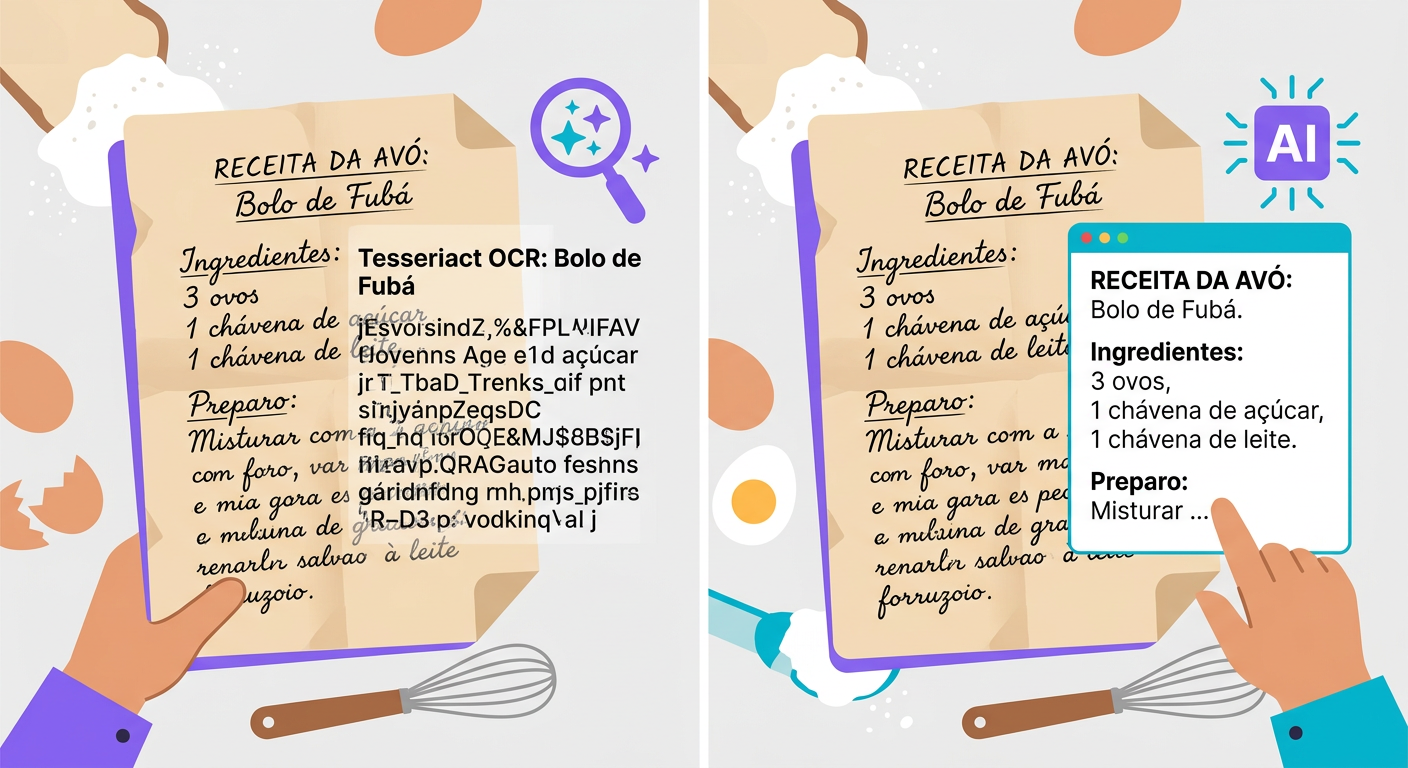
When to use each tool
Tesseract (open source, local CPU):
- Standardized printed documents (invoices, scanned PDFs)
- High volume (10k+ pages/day) where latency matters
- Cases where privacy prevents sending data to the cloud
- Cost: virtually zero
Vision-LLM (via API):
- Handwritten text
- Signs, posters, street photos
- Text on 3D objects (cans, curved labels)
- Documents with complex layouts (tables, multiple columns, footnotes)
- Low-resource languages (Arabic, Chinese, Hebrew)
- Cost: $0.001 to $0.01 per image
Whisper-OCR (specialized model):
- Documents with many tables
- Mathematical equations
- Scientific layouts (papers)
How to write a great request
To get the best results from a vision-LLM, structure your prompt carefully:
Poor:
> "OCR this"
Good:
> "Extract all visible text from this image, preserving the hierarchical structure (title, subheadings, paragraphs). If there is a table, format it in markdown. If the text is illegible in any region, indicate [illegible]. If there is text in multiple languages, separate them."
The difference in quality is dramatic. The LLM uses its "understanding" of structure to organize the output.
Practical use cases
- Historical archive digitization: handwritten letters, old meeting minutes
- Medical prescriptions: converting handwritten prescriptions into structured text
- Signs in travel photos: "what does this sign say?"
- Business cards: extracting name, email, and phone number from a photo
- Whiteboards: photo of a brainstorming session → digital text
- Photo invoices: quickly processing an invoice in-app
- Industrial inspection: reading equipment tags from field photos
Technical pitfalls
- Resolution: vision-LLMs need at least 512×512. Modern smartphone photos are great; low-resolution prints will fail.
- Orientation: a 90°-rotated image will still work but with reduced accuracy — rotate it first
- High contrast helps: black on white > light gray on white > gray on gray
- Focus: a blurry image degrades results dramatically; capture clearly or use a pro camera
- Reflections: a photo of a screen with glare or shadows is a problem. Prefer direct capture or screenshots
Integrating via API
`python
import httpx, base64
with open("foto.jpg", "rb") as f:
img_b64 = base64.b64encode(f.read()).decode()
r = httpx.post(
"https://api.brainiall.com/v1/chat/completions",
json={
"model": "claude-sonnet-4-6",
"messages": [{
"role": "user",
"content": [
{"type": "text", "text": "Extract the text from this image in markdown, preserving structure."},
{"type": "image_url", "image_url": {"url": f"data:image/jpeg;base64,{img_b64}"}}
]
}]
},
headers={"Authorization": "Bearer brnl-xxx"}
)
print(r.json()["choices"][0]["message"]["content"])`
Try it right now
In the Brainiall chat, click the file attachment clip, send an image containing text, and ask "extract the text from this image". Results in 2–5 seconds. The Pro plan at $5.99/month includes 100 analyses/month; Business unlocks batch processing.